

On Dynon SkyView systems you may see a pop‑up at startup saying:
DATABASE NO LONGER CURRENT
PRESS ACCEPT
This message can mean two different things. Look at the bottom‑left of the pop‑up to see which database it is talking about.
POCKETFMS CHARTS
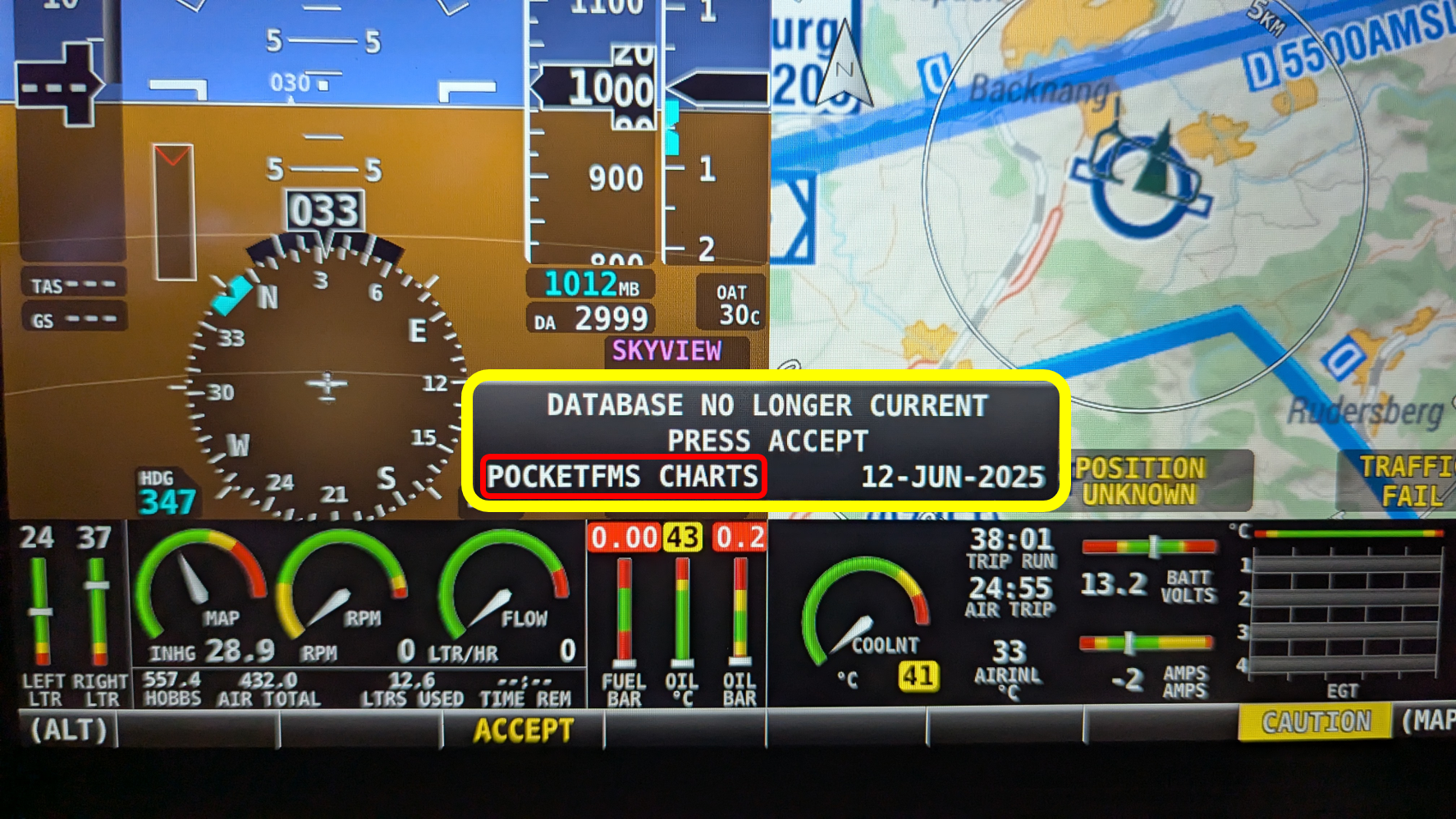
Means
Your VFR airport plates might be out of date.
Does not mean
That all plates are guaranteed to be out of date – SkyView cannot actually check this, it only knows when the next update is due.
That the main aviation / navigation database is out of date.
Action
Update the VFR plates on your Dynon USB stick.
How to update the VFR plates on your Dynon USB stick: Dynon - Getting data into your SkyView.
How to use the VFR plates on your SkyView: How to use the VFR Plates on your SkyView
AVIATION
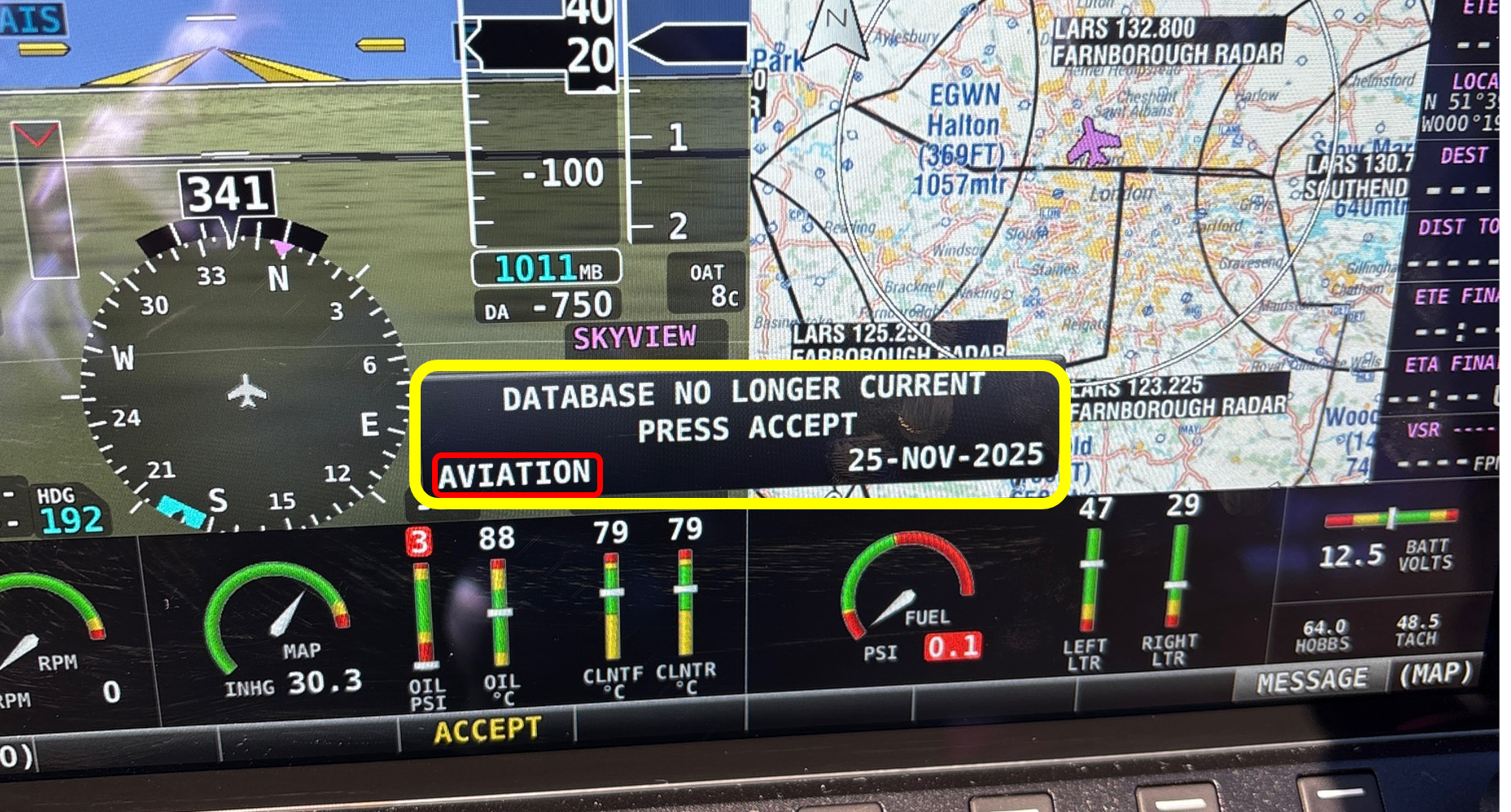
Means
Your aviation (navigation) database, and possibly the obstacle database, is out of date.
Action
Update the aviation / aerodata (and obstacle) database before relying on it for navigation.
How to update the aviation and obstacle data on your Dynon USB stick: Dynon - Getting data into your SkyView.
How to update the aviation and obstacle dataset: SkyView - Aviation and Obstacle data
Summary
The generic message “DATABASE NO LONGER CURRENT” can refer to different databases.
Check the bottom‑left label in the message:
POCKETFMS CHARTS → VFR plates / charts may be out of date.
AVIATION → Navigation (aerodata) and possibly obstacle database are out of date.
Only the AVIATION message affects the core navigation database.
Attach the two screenshots to this article to clearly show the difference between the two message types.