

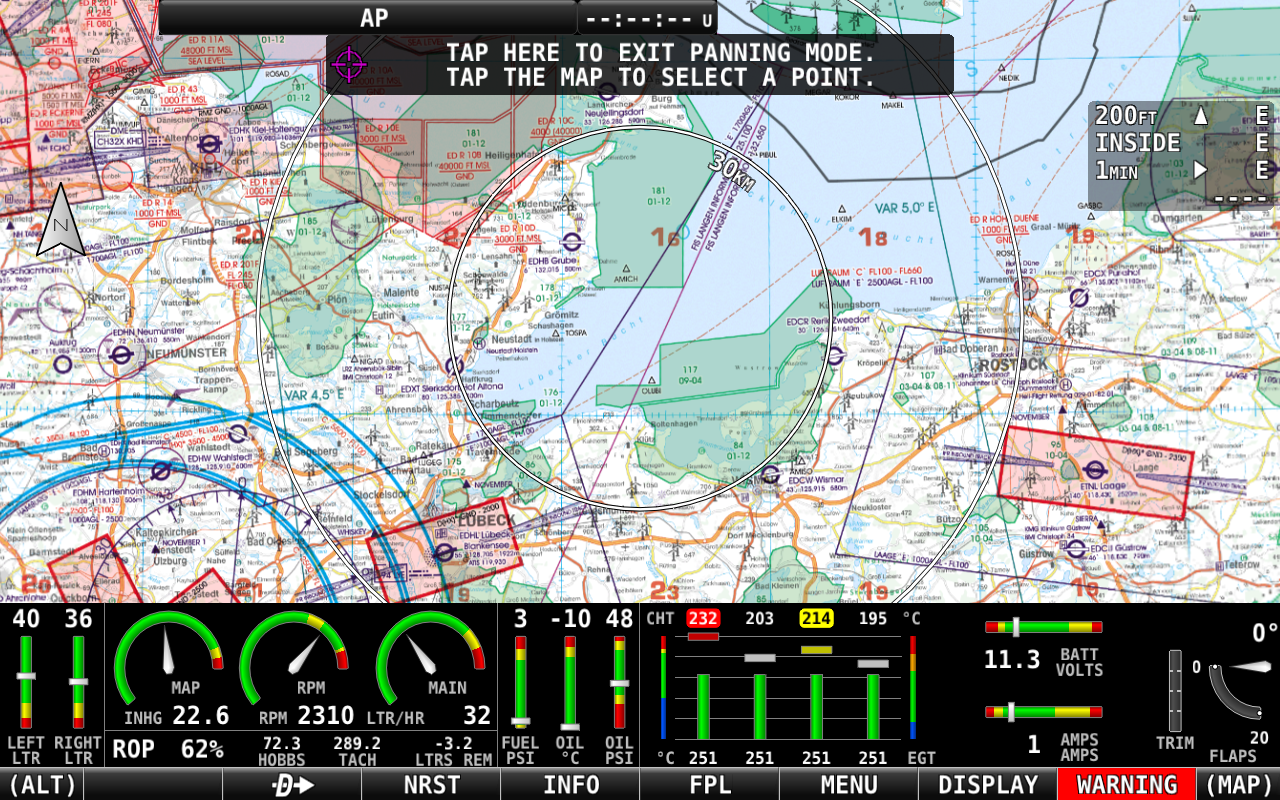
All (ICAO) Charts Add-Ons are compatible with the EasyVFR 4 App, Dynon SkyView, and Advanced Flight Systems AF-5000/6000 series avionics.
Understanding Charts vs Vector Maps
What we call a "chart" (or more specifically a "raster chart" or "georeferenced raster chart") is a digital version of an official ICAO aviation chart or other 3rd party chart supplier. Charts are essentially images - they maintain the exact visual design, coloring, and symbology created by national aviation authorities and chart suppliers.
The key difference between raster charts and vector maps lies in their underlying technology:
Raster Charts (Images): When you zoom in far enough, you'll start to see individual pixels, similar to enlarging any photograph.
Vector Maps: Everything stays sharp at any zoom level because they're drawn mathematically in real-time. The shown information depends on the zoom level and the position on the map.
Despite this technical limitation, raster charts remain extremely valuable because they are designed by local aviation experts who understand regional flying requirements. Their familiar coloring, symbols, and design conventions are instantly recognizable to pilots in that region, making navigation more intuitive and reducing workload during flight.
On this page:
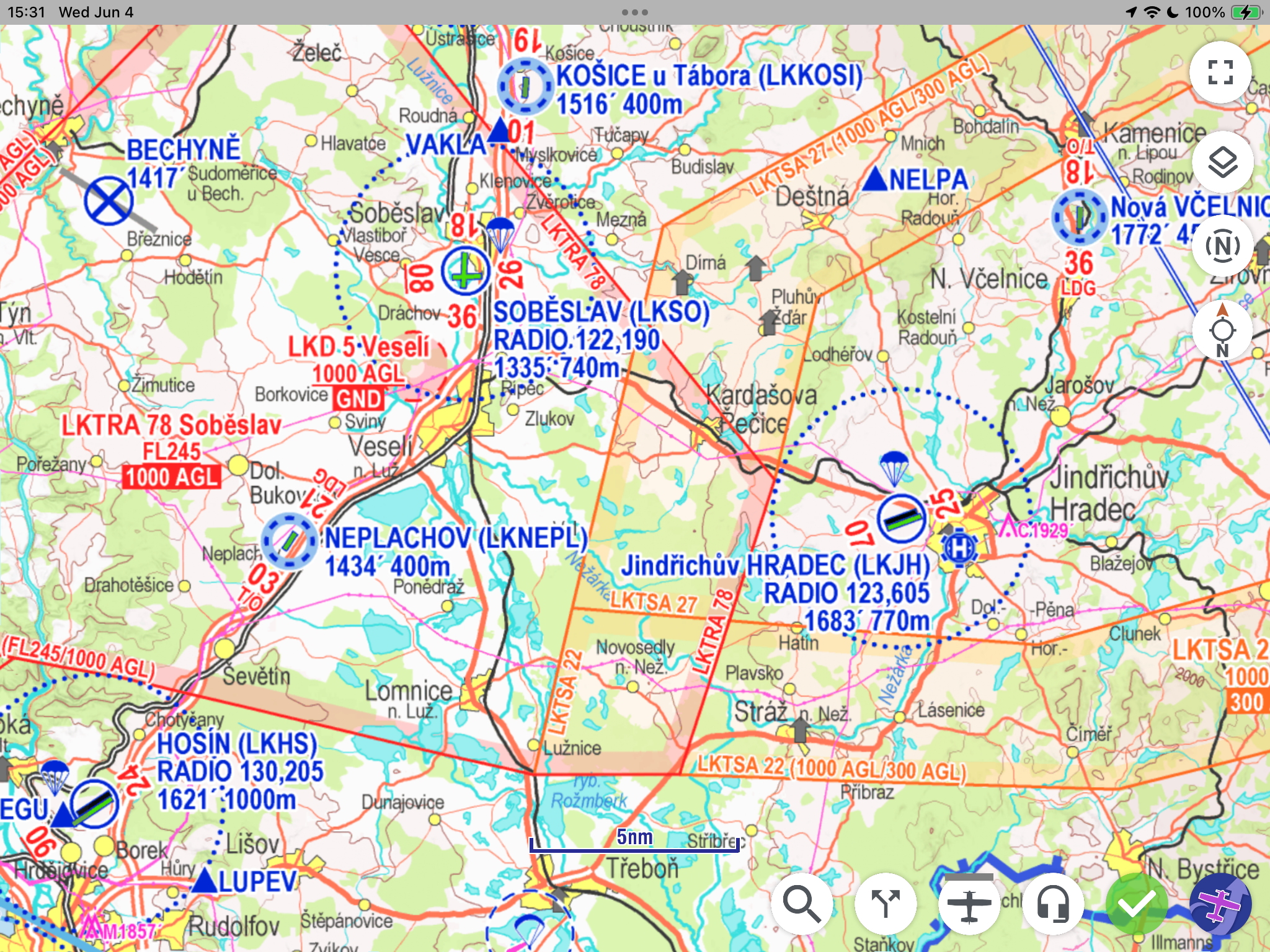
Chart Types & Purchasing Options
EasyVFR 4 offers georeferenced raster charts from national aviation authorities and commercial suppliers. These charts are available in two purchasing models:
Chart Suppliers
EasyVFR 4 works with various chart suppliers to provide comprehensive coverage across Europe and beyond:
Deutsche Flugsicherung (DFS): Charts for many countries
Rogers Data: Full European Coverage
Air Million: Charts for several countries and larger regions
Patrik Sainer: Chart for Czech Republic and Slovakia
ANC Finland from Karttakeskus: Finnish aviation charts
IGN France: French national charts from IGN
CartaBossy France: French charts from CartaBossy
Swisstopo Switserland: Swiss chart from Swisstopo
All valid and available charts are listed in the EasyVFR 4 shop at https://easyvfr4.aero/shop/#charts
One-Time Purchase Charts
Most charts are available with a one-time payment for a specific chart version (as mentioned in the product name). Once purchased, you can download and use these charts on compatible devices as long as they remain valid according to their publication cycle.
Subscription Charts
Some charts like the one from Rogers Data are offered as subscription products, allowing continuous access as long as your subscription remains active. During the subscription period, new chart versions are automatically available for download when published by the chart supplier.
Platform Compatibility
Charts purchased through the EasyVFR 4 shop are compatible with multiple platforms:
EasyVFR 4 Mobile App (iOS, Android)
EasyVFR 4 Desktop App (Windows, macOS)
Dynon SkyView avionics systems
Advanced Flight Systems AF-5/6XXX series
Note: Chart licensing is tied to your EasyVFR account, allowing you to use purchased charts across all your compatible devices.
Using Charts in EasyVFR 4 Mobile App
Once you have purchased or subscribed to charts, accessing and using them varies slightly between platforms:
Android & Desktop
Accessing Charts:
Navigate to the EasyVFR 4 menu by selecting the logo button in the bottom right corner
Select MyEasyVFR
A complete list of all available charts in the shop will be displayed
Purchasing Charts:
Unlicensed charts show a Purchase button next to the chart name
Tap the Purchase button to order that chart
A web browser will open, automatically signing you into your account and directing you to the checkout page with the selected chart in your cart
Downloading Charts:
Licensed charts display a Download button
Tap the Download button to download the chart to your device
Downloaded charts move to the top of the list and gain an enable/disable toggle switch
iOS
Chart Management:
Only already licensed charts are listed in the MyEasyVFR section
Charts must be purchased through the web browser or other platforms
Licensed charts show a Download button
After downloading, charts appear at the top of the list with an enable/disable toggle
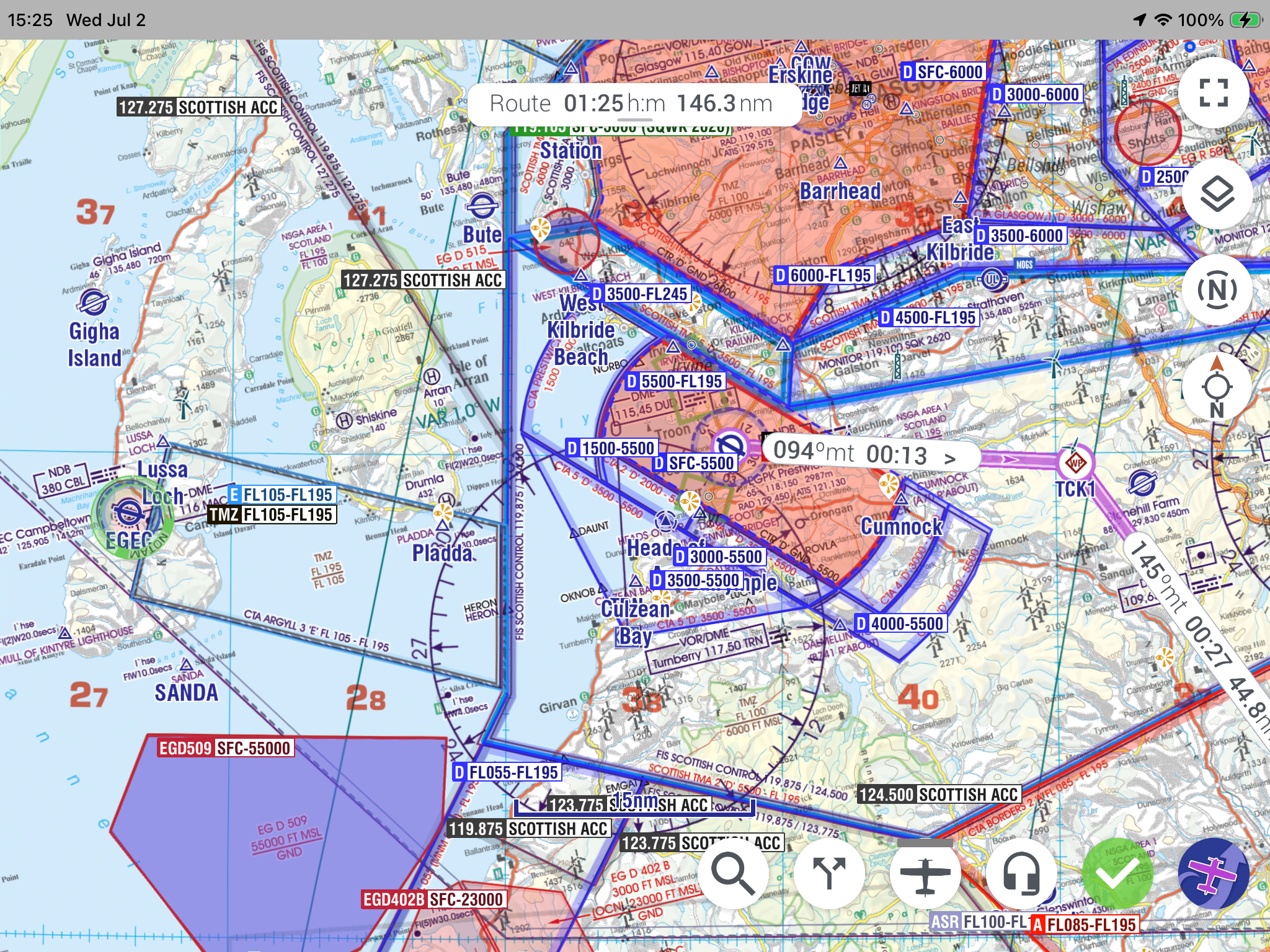
Chart Management & Display
Enabling Charts as Base Maps
Once downloaded, charts can be enabled as base maps in the app:
Use the toggle switch next to each downloaded chart to enable it
Multiple charts can be enabled simultaneously
The app will automatically select the most appropriate chart based on your current map view and zoom level
Chart Display Behavior
When a chart is enabled:
Base Map: The chart serves as the base map layer
Overlays: EasyVFR AeroData, NOTAMs, and Weather information are displayed as overlays on top of the chart
Layer Management: Some geographical and topical layers are automatically disabled to prevent map clutter
Interactive Data: When you tap the map for information, data comes from the EasyVFR database, not the chart image itself
Important: Charts are raster images (pictures) and do not contain interactive data. All interactive features, airport information, and real-time data come from EasyVFR's comprehensive database.
Using Charts on Dynon Avionics EFIS
Charts purchased through EasyVFR can also be used on compatible avionics systems:
Dynon SkyView: Detailed setup and usage instructions
Advanced Flight Systems: Integration procedures and chart management
For complete setup instructions and troubleshooting for avionics integration, see the dedicated Knowledge Base article:
Download: Getting data into your SkyView
Need Help? If you encounter issues with chart purchases, downloads, or display, contact the EasyVFR support team using the "Ask the Team" button. For avionics-specific questions, refer to the dedicated Dynon and AFS support articles in the Knowledge Base.