

Why Map Presets?
Aviators often require different types of information depending on their current task. Whether you're planning a flight, navigating, or checking weather conditions, the information displayed on the map needs to adapt.
With EasyVFR 4, you no longer have to adjust settings manually for each use case. Instead, you can rely on three customizable Map Presets designed to streamline your workflow.
By default, these presets include:
Navigation Map: For flight planning and navigation.
NOTAMs Map: Focused on NOTAMs and airspace information.
Weather Map: Highlighting weather data.
Switching between these presets is done via the Map Layers card.
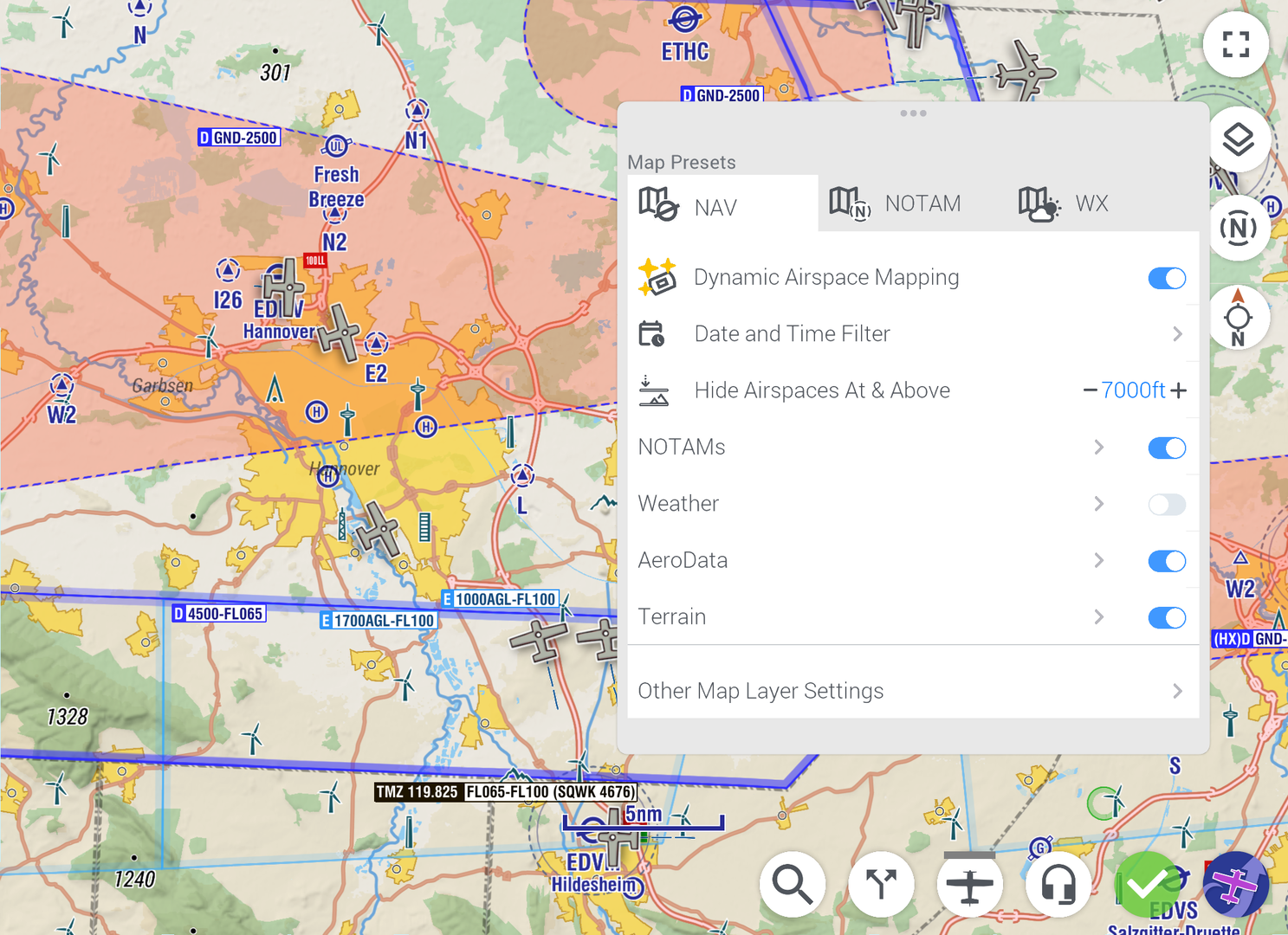
Customizing Map Presets
While the default presets are ready to use, you can fully customize them to suit your specific needs.
How to Customize
Open the Map Layers card.
Select the preset you want to adjust (Navigation, NOTAMs, or Weather).
Enable or disable map layers and sub layers as needed for that preset.
This flexibility ensures that each preset is perfectly tailored to your three most common use cases.
Base Map: Color vs. Chromatic
To help you focus on the most important information, EasyVFR 4 uses different base map styles for each preset:
Navigation Map: Full-color base map for a comprehensive view.
NOTAMs Map: Chromatic (grey) base map to make NOTAMs stand out.
Weather Map: Chromatic (grey) base map to highlight weather data.
The chromatic base map reduces visual clutter, ensuring that critical NOTAMs or weather objects are more prominent.